
Damage and Repairs
31 May 2026
How to get help?
First Level Support
Visit the school's ICT Support Staff Office (IT Center, Level 3, Classroom Block) between 8:00 AM – 3:30 PM from Monday to Friday.
The ICT staff will diagnose and try to resolve the hardware / software issues faced.
If the issue is beyond their expertise, the ICT staff will provide advice for the next course of action.
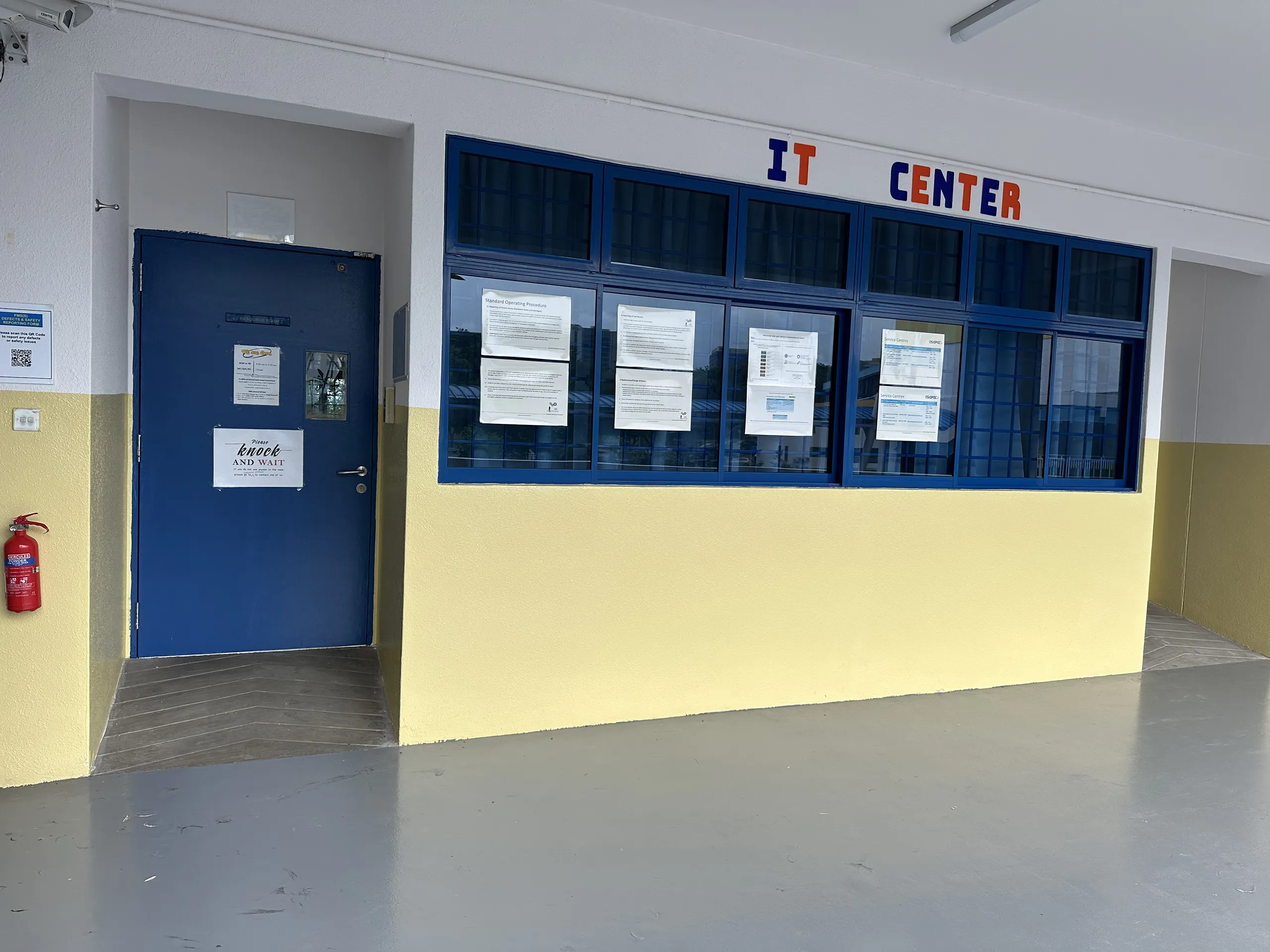
IT Center
Second Level Support
For Ruggedised Casing Combo 3 issues:
Contact Keppel Technology Solutions (formerly known as AsiaPac Technology) to make an appointment and bring the device there for diagnosis.
Keppel Technology Solutions Pte. Ltd.
Address:
Blk 219 Henderson Road , #05-01/02/03/04, Henderson Industrial Park , SG 159556
Operating Hours
Monday to Thursday: 8.30am – 5.30pm
Friday: 8.30am – 5.00pm
Closed on Saturdays, Sunday & Public Holiday
Phone
(+65) 6270 8281
Email
For iPad or Apple Pencil issues:
You may visit an Apple Retail Store (Orchard, Jewel, or Marina Bay Sands).
Apple Genius Bar Appointment:
What is the Apple Genius Bar?
The Apple Genius Bar is a dedicated tech support service in Apple's retail stores. Customers experiencing problems with products or applications can make an appointment for one-on-one assistance with an expert. Experts have multiple certification levels to best assist customers.
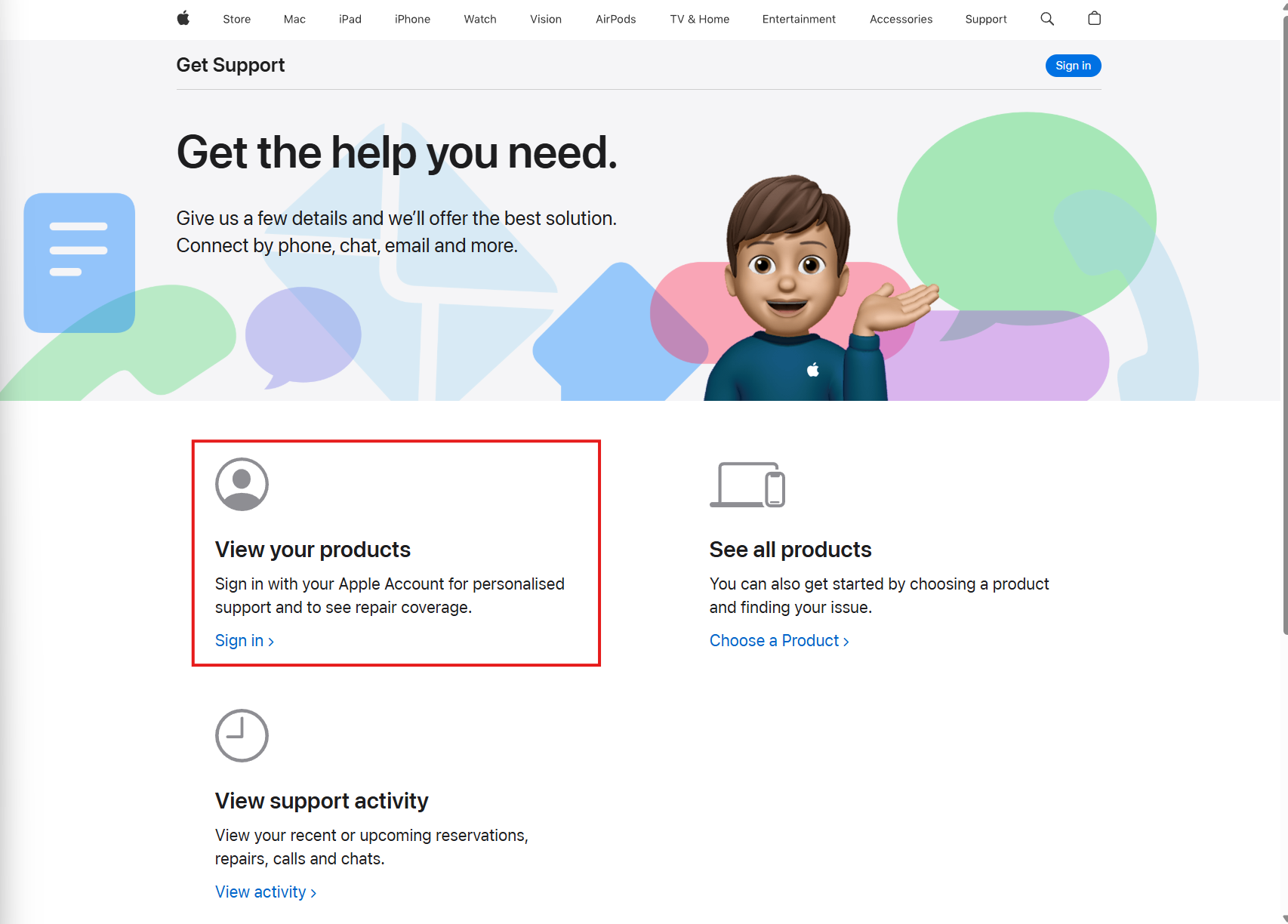
Visit the Apple Support website at getsupport.apple.com (opens in new tab).
Click Sign in under View Products with a Personal Apple Account. You can create one if you do not have an account from https://account.apple.com (opens in new tab)
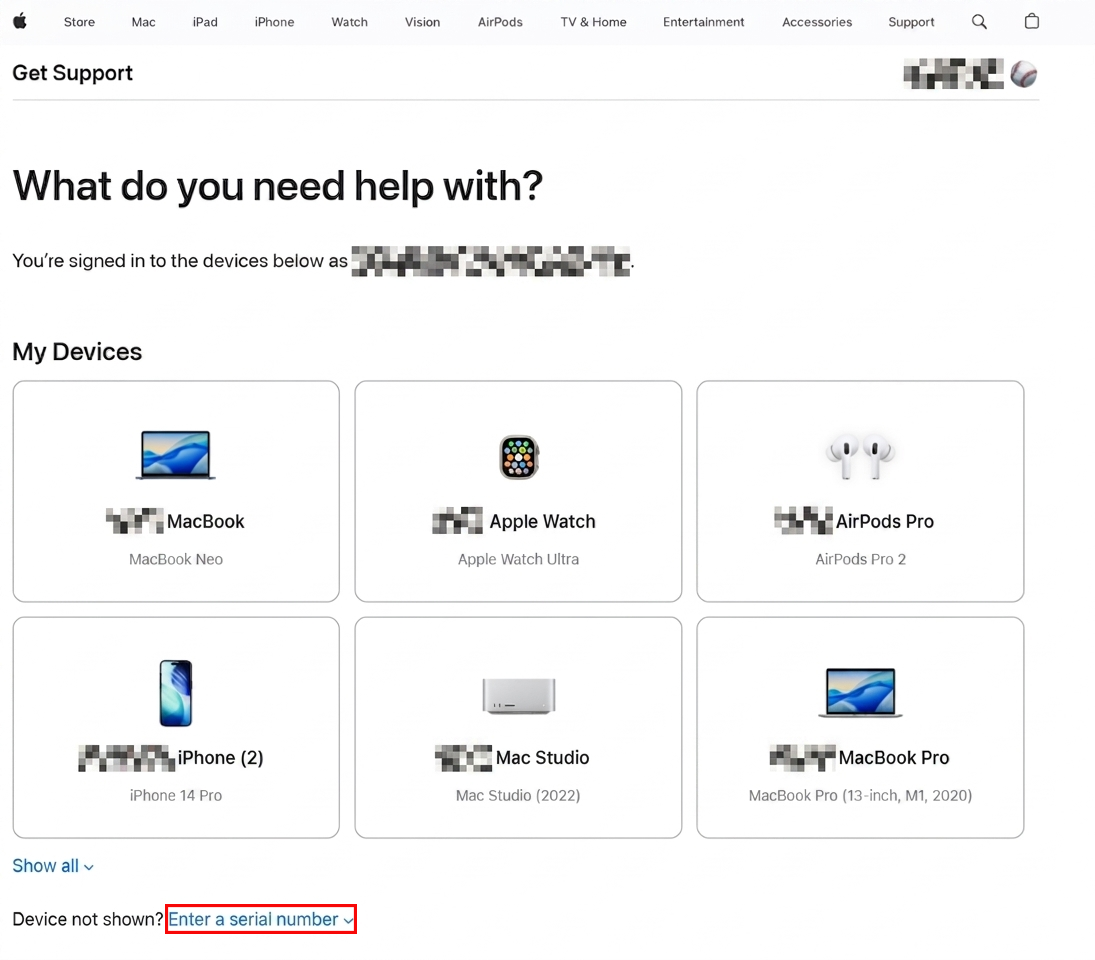
Click on Enter a serial number next to "Device not shown? Enter a serial number"
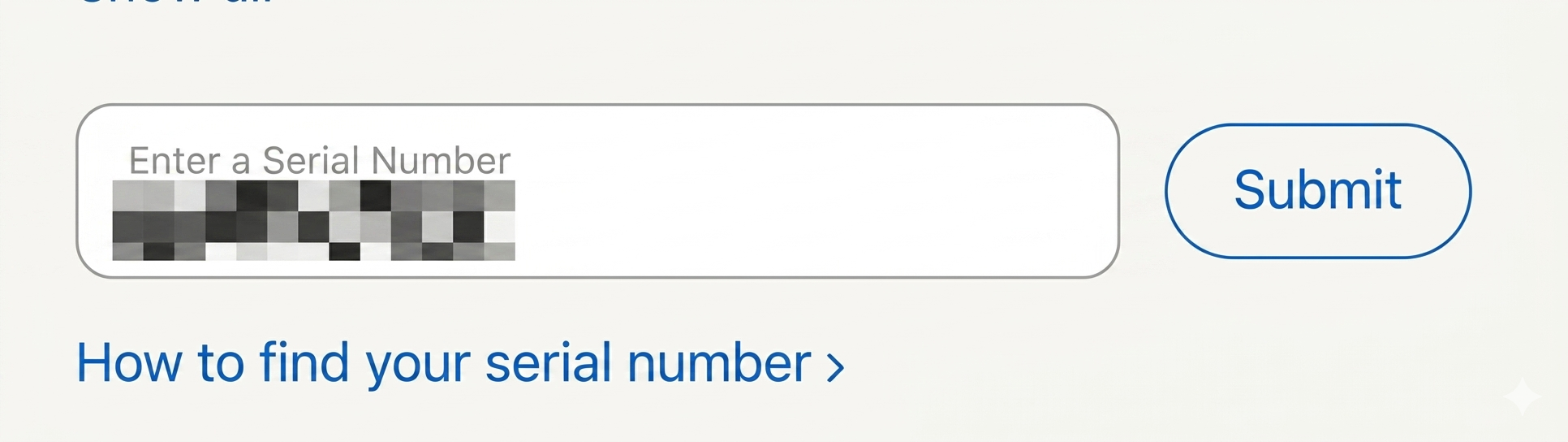
Key in the serial number of the PLD and click submit.
Click on Repairs & Physical Damage
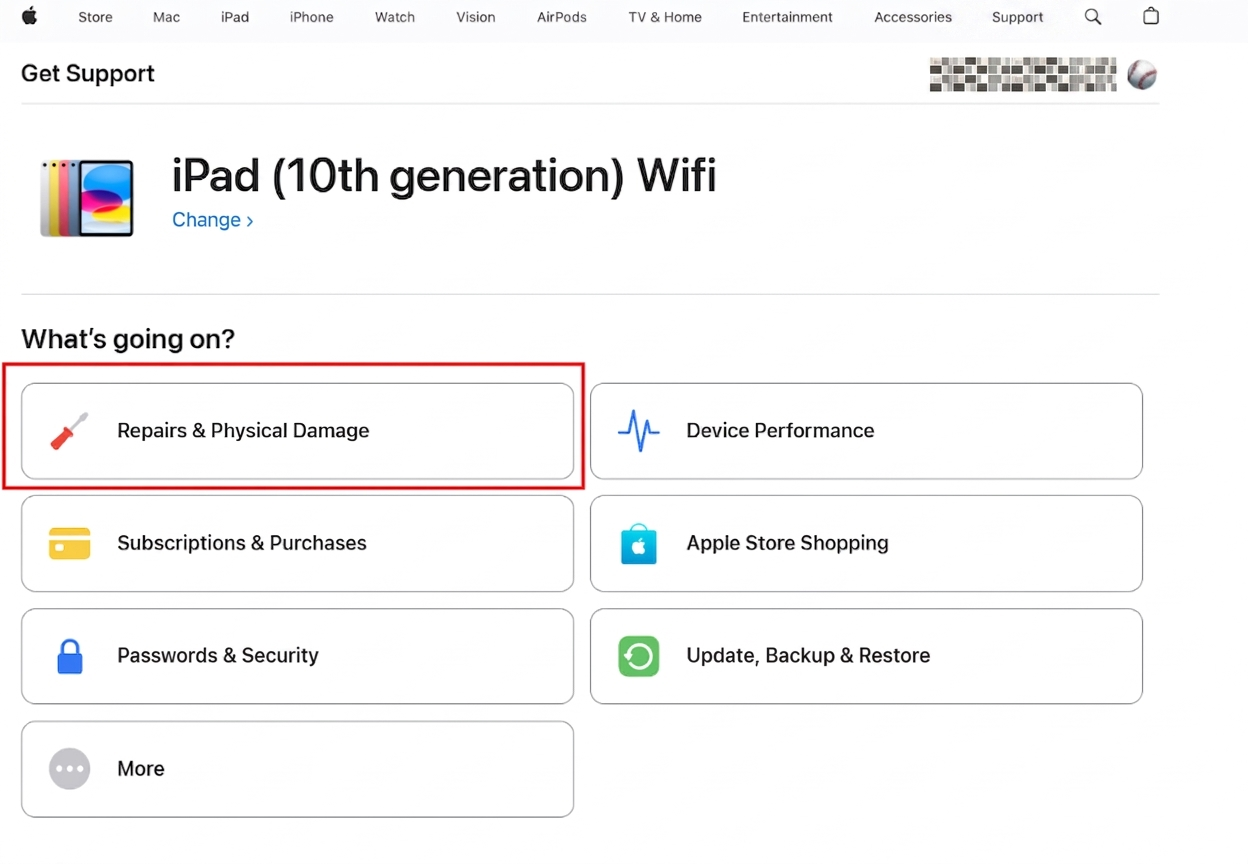
Choose a topic from this page or type in the search box if you cannot find a suitable topic. We will click on Cracked Screen (front only) for this example.
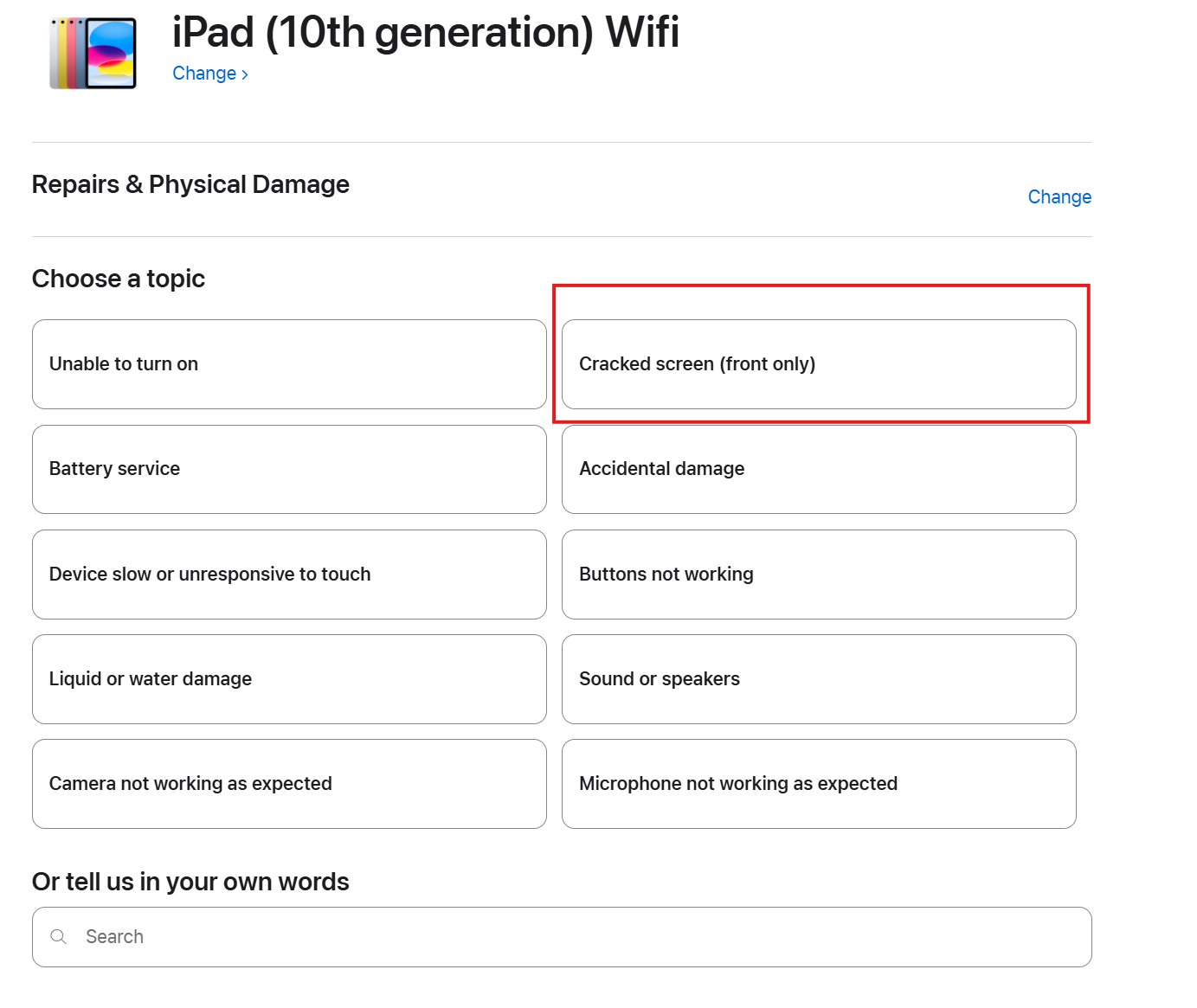
Click on Continue
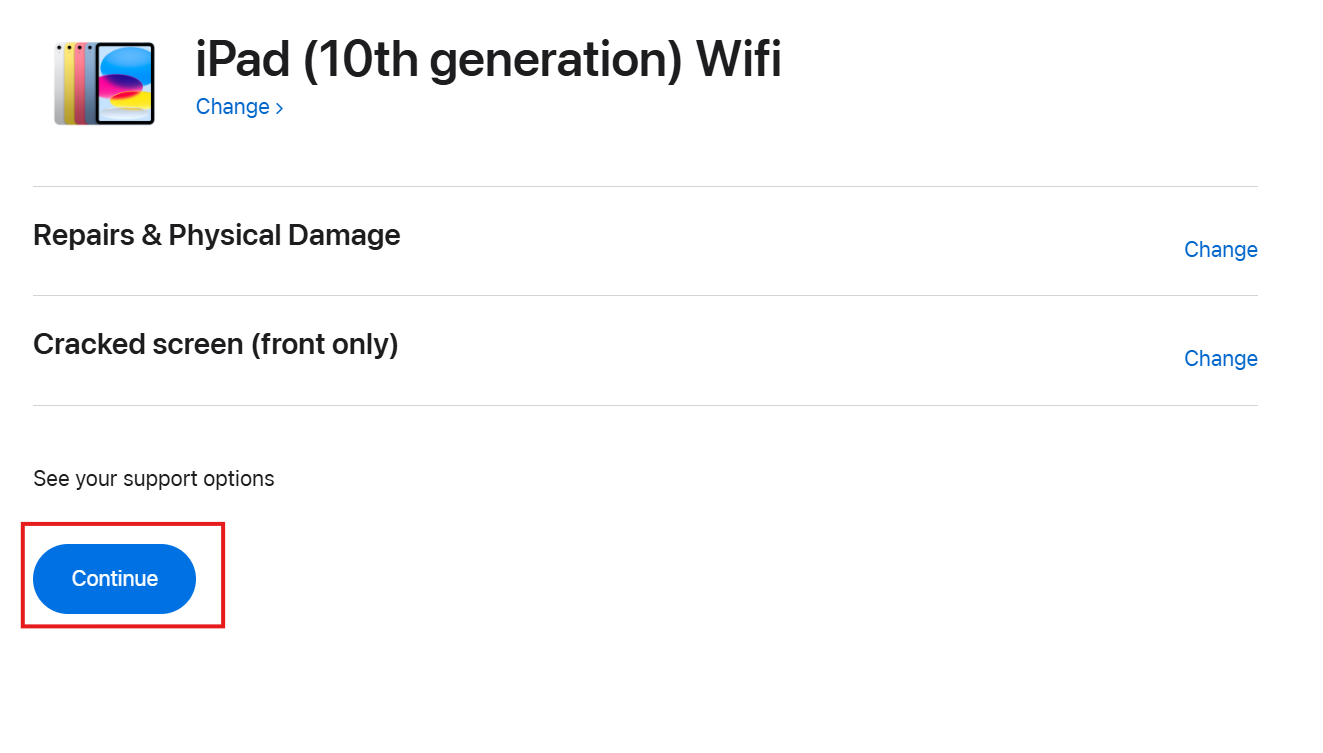
As this is considered an accidental damage, a fee will be charged. If the damage is due to manufacture defects, then there will be no charge.
We recommend you to click on Find a location
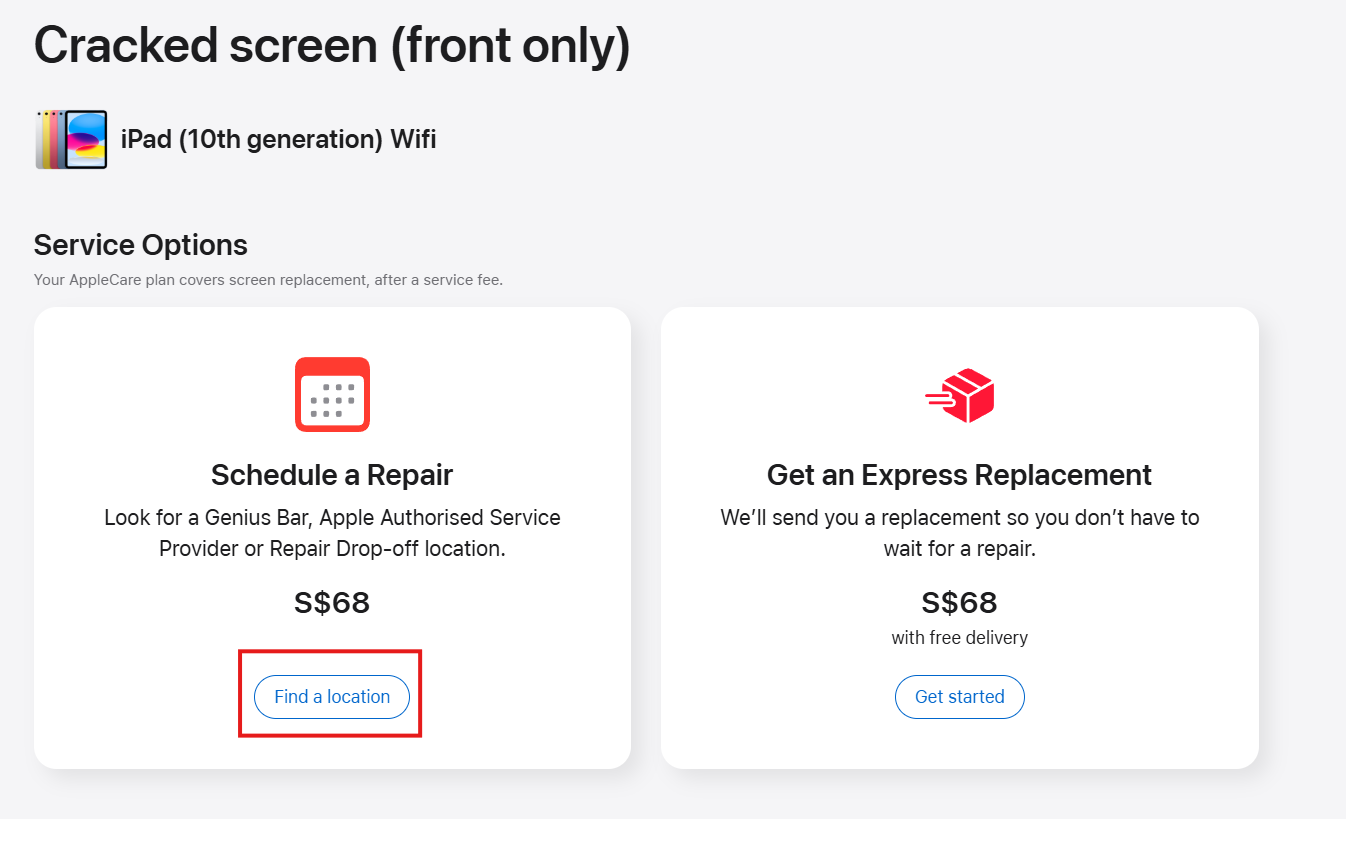
Then based on the area of your residence, you will be able to choose the store to visit. Click on your preferred location
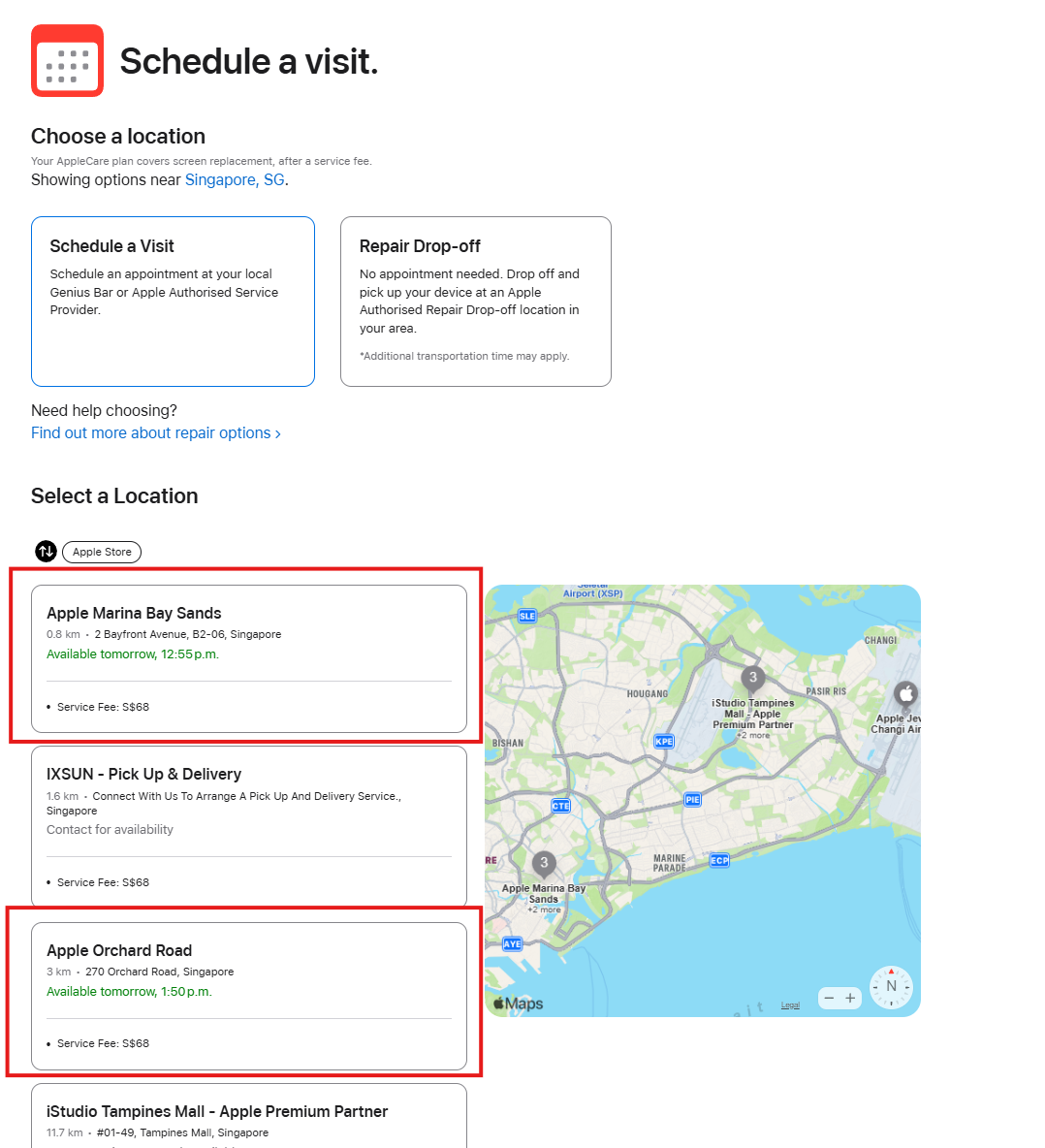
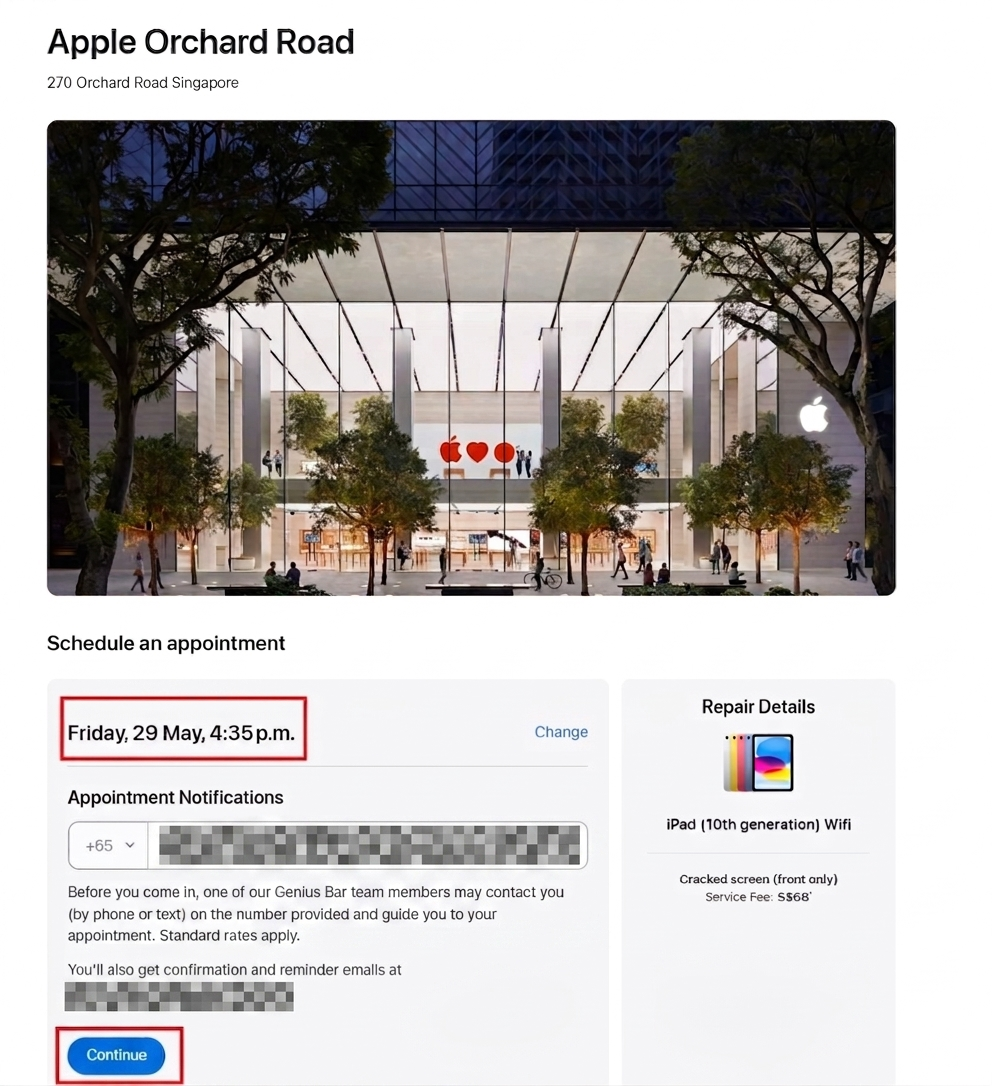
Select a time from the list. We have selected 4.35 p.m. for this example. Key in your mobile number. An email confirmation will be sent to you. Click on Continue to schedule the appointment.
⚠️ IMPORTANT: For Replacement iPads
If your child has been issued a replacement iPad by the vendor or Apple, please DO NOT perform the initial setup at home.
To ensure the device is ready for school use:
Keep the iPad at the "Hello" / Factory Reset screen.
Ensure the device is fully charged.
Instruct your child to bring the device directly to the School IT Center (Classroom Block, Level 3).
Our staff will perform the onboard installation of the Device Management Application (DMA) to ensure all school apps and security settings are active.